You could have the perfect work history, impressive skills, and a killer cover letter. But if your resume format works against you, none of that matters. Hiring managers spend about 7 seconds scanning each resume. The format you choose determines what they see in those 7 seconds.
Most job seekers default to whatever template their word processor suggests. That is a mistake. The right resume format depends on where you are in your career (if you are just starting out, check our entry-level resume examples), what kind of job you are targeting, and whether you have any gaps or transitions to navigate.
Here is how each format works, when to use it, and when to avoid it.
The Three Main Resume Formats
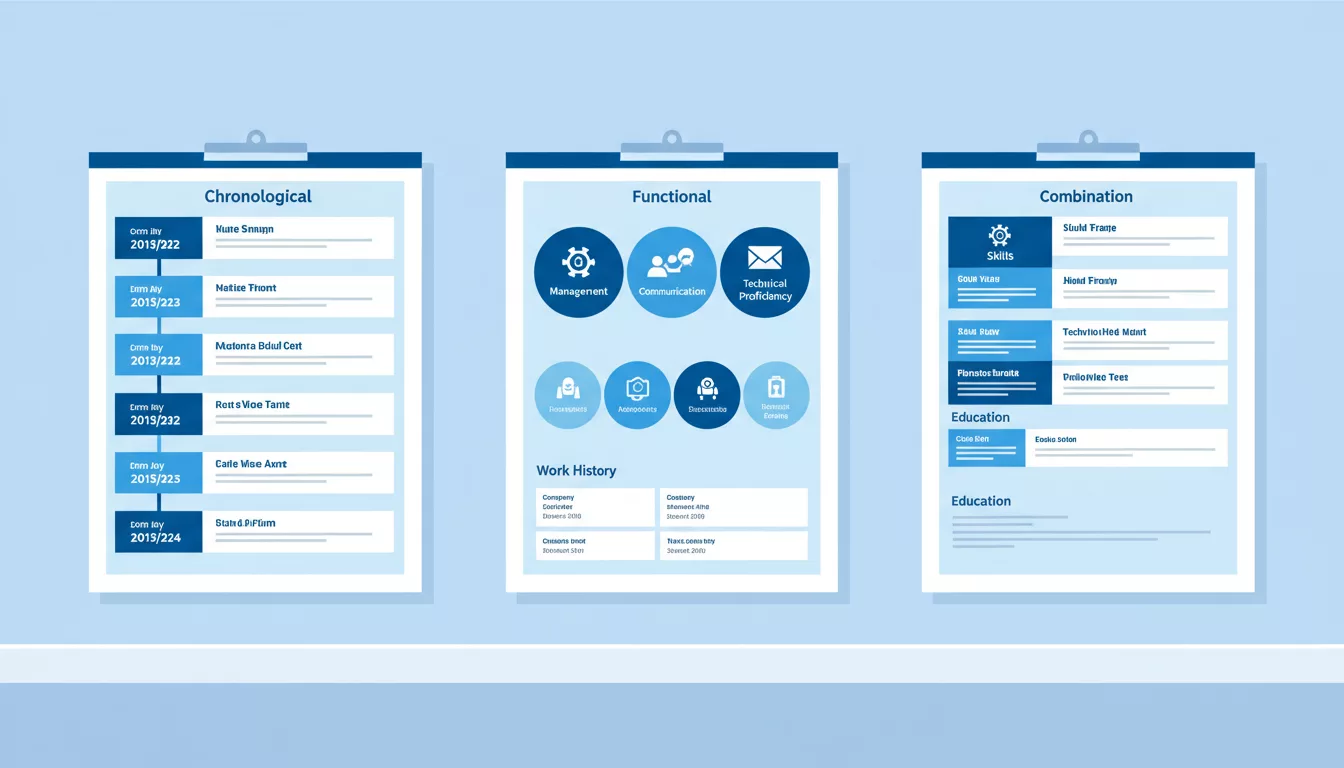
Every resume falls into one of three categories:
- Chronological (reverse-chronological) — Lists work experience from most recent to oldest
- Functional (skills-based) — Organizes around skill categories instead of job history
- Combination (hybrid) — Leads with skills, then includes a traditional work history section
Each has specific strengths. Pick the wrong one and you highlight exactly the things you want to downplay. (Need a professionally designed template? SheetsResume has free, ATS-optimized layouts for each format below.)
1. Chronological Resume Format
This is the most common format and the one most recruiters prefer. It puts your work experience front and center, starting with your current or most recent position.
How a Chronological Resume Is Structured
- Contact information and professional summary at the top
- Work experience section (reverse chronological order)
- Education
- Skills section (usually at the bottom)
When to Use a Chronological Resume
Use this format if you have a steady work history with clear career progression. It works best when:
- You have been working in the same field for several years
- Your most recent job is directly relevant to the position you want
- You do not have major employment gaps
- You want to show upward career movement (promotions, increasing responsibility)
This is the default choice for most people. If you are not sure which format to use, start here. About 90% of resumes use this layout for good reason — it is what hiring managers expect, and it makes their scanning process fast and intuitive.
When to Avoid a Chronological Resume
Skip this format if you are changing careers entirely (your recent experience will look irrelevant) or if you have gaps longer than a year that you cannot easily explain. It also does not work well for people re-entering the workforce after an extended break.
Chronological Resume Example Layout
JANE SMITH
jane.smith@email.com | (555) 123-4567 | Chicago, IL

PROFESSIONAL SUMMARY
Marketing manager with 8 years of experience driving
B2B campaigns that generated .4M in pipeline revenue.

WORK EXPERIENCE
Senior Marketing Manager — Acme Corp (2023–Present)
• Led team of 5 executing integrated campaigns across
  email, paid social, and content marketing
• Increased qualified leads by 47% year-over-year
• Managed K annual marketing budget

Marketing Manager — TechStart Inc (2020–2023)
• Built email marketing program from scratch,
  growing list from 2K to 45K subscribers
• Created content strategy that drove 3x organic traffic

Marketing Coordinator — BigBrand Co (2018–2020)
• Coordinated product launches for 12 SKUs annually
• Managed social media accounts (Instagram, LinkedIn)

EDUCATION
B.S. Marketing — University of Illinois (2018)

SKILLS
HubSpot, Google Analytics, Salesforce, SQL, Figma
2. Functional Resume Format
A functional resume puts your skills and accomplishments at the top, grouping them by category rather than by employer. Your work history gets pushed to a brief section near the bottom.
How a Functional Resume Is Structured
- Contact information and professional summary
- Skills categories with accomplishments listed under each
- Brief work history (just job titles, companies, and dates — no bullet points)
- Education
When to Use a Functional Resume
This format works in very specific situations:
- You are making a major career change and your skills transfer but your job titles do not
- You have significant employment gaps that would dominate a chronological layout
- You are re-entering the workforce after raising kids, dealing with health issues, or other extended breaks
- Your relevant experience comes from volunteering, freelancing, or personal projects rather than traditional employment
When to Avoid a Functional Resume
Here is the honest truth: most recruiters do not love functional resumes. A 2023 survey by TopResume found that 72% of hiring managers prefer chronological formats. When a recruiter sees a functional resume, their first thought is often "what are they hiding?"
Avoid this format if you have a straightforward work history. Using it when you do not need to can actually hurt you because it raises questions unnecessarily. ATS (applicant tracking systems) also struggle with functional resumes since they are designed to parse chronological work histories.
Functional Resume Example Layout
ALEX JOHNSON
alex.j@email.com | (555) 987-6543 | Denver, CO

PROFESSIONAL SUMMARY
Detail-oriented professional transitioning from teaching
to corporate training and instructional design.

KEY SKILLS & ACCOMPLISHMENTS

CURRICULUM DEVELOPMENT
• Designed 15+ course curricula adopted by district of
  12 schools serving 8,000 students
• Created assessment frameworks measuring learning
  outcomes across multiple metrics

TRAINING & FACILITATION
• Led professional development workshops for groups
  of 20-50 colleagues quarterly
• Mentored 8 new teachers through onboarding program

TECHNOLOGY & DIGITAL LEARNING
• Built online learning modules using Articulate 360
  and Canvas LMS during remote learning transition
• Trained 45 teachers on educational technology tools

WORK HISTORY
High School English Teacher — Lincoln High (2018–2025)
Substitute Teacher — Denver USD (2016–2018)

EDUCATION
M.Ed. Curriculum & Instruction — CU Denver (2018)
B.A. English — Colorado State (2016)
3. Combination (Hybrid) Resume Format
The combination resume gives you the best of both worlds. It leads with a skills section like a functional resume but follows it with a full chronological work history. This format has become increasingly popular because it lets you control the narrative without hiding anything.
How a Combination Resume Is Structured
- Contact information and professional summary
- Key skills or core competencies section (with accomplishments)
- Work experience (reverse chronological, with bullet points)
- Education
When to Use a Combination Resume
This format works well when:
- You have both strong skills AND solid work experience to show
- You want to highlight specific technical skills before your job history
- You are a mid-career professional with diverse experience across multiple areas
- You are targeting a role that emphasizes skills (like tech, design, or skilled trades)
- You want to consolidate accomplishments from multiple jobs under unified skill categories
The combination format is especially popular in tech and creative fields (see our software engineer resume example) where hiring managers care more about what you can do than where you did it.
When to Avoid a Combination Resume
If you are early in your career with limited experience, this format can feel padded. It also runs longer than a chronological resume, so if the job posting emphasizes brevity, stick with chronological. And for very traditional industries (law, finance, government), the classic chronological format is still the safest choice.
Combination Resume Example Layout
MARIA GARCIA
maria.g@email.com | (555) 456-7890 | Austin, TX

PROFESSIONAL SUMMARY
Full-stack developer with 6 years building scalable web
applications. Specializing in React, Node.js, and AWS.

CORE TECHNICAL SKILLS

FRONTEND DEVELOPMENT
• Built 20+ responsive web applications using React
  and TypeScript serving 500K+ monthly users
• Reduced page load times by 60% through code splitting
  and lazy loading optimization

BACKEND & INFRASTRUCTURE
• Designed RESTful APIs handling 10M+ daily requests
• Migrated legacy monolith to microservices architecture
  reducing deployment time from 4 hours to 15 minutes

WORK EXPERIENCE
Senior Developer — CloudTech Solutions (2022–Present)
• Lead developer on flagship SaaS product (M ARR)
• Manage team of 4 junior developers

Full Stack Developer — WebAgency Co (2020–2022)
• Delivered 15 client projects on time and under budget
• Introduced automated testing (Jest, Cypress)

Junior Developer — StartupXYZ (2019–2020)
• Built internal tools dashboard used by 200+ employees

EDUCATION
B.S. Computer Science — UT Austin (2019)
How to Choose the Right Format for Your Situation
Still not sure? Here is a quick decision guide:
| Your Situation | Best Format | Why |
|---|---|---|
| Steady career in same field | Chronological | Shows clear progression |
| Career changer | Functional or Combination | Highlights transferable skills |
| Employment gaps | Functional | De-emphasizes timeline |
| Re-entering workforce | Functional | Focuses on capabilities not dates |
| Senior professional | Combination | Showcases depth of expertise |
| Tech or creative role | Combination | Skills matter more than tenure |
| Recent graduate | Chronological | Simple and clean |
| Government or traditional industry | Chronological | Expected and preferred |
| Freelancer going full-time | Combination | Groups scattered projects logically |
Resume Formatting Rules That Apply to Every Format
Regardless of which layout you pick, these rules hold:
Keep It to One Page (Usually)
One page for anyone with fewer than 10 years of experience. Two pages are acceptable for senior professionals with extensive relevant experience. Three pages is almost never appropriate unless you are in academia or a very senior executive role.
Use Standard Fonts
Stick with Calibri, Arial, Garamond, or Cambria in 10-12 point size. Avoid decorative fonts. Your resume is a professional document, not a design portfolio (unless you are a designer, and even then, keep it readable).
Mind Your Margins
Use 0.5 to 1 inch margins on all sides. Going below 0.5 inches makes the page look cramped. Going above 1 inch wastes space.
Use Consistent Formatting
If you bold one job title, bold all of them. If you use bullet points in one section, use them in all similar sections. Inconsistency signals carelessness.
Save as PDF
Always submit your resume as a PDF unless the job posting specifically requests a different format. PDFs preserve your formatting across every device and operating system. Word documents can shift and break depending on the recipient version.
Name Your File Properly
Use this format: FirstName-LastName-Resume.pdf. Not "resume.pdf" (which hiring manager has only one of those?), not "resume_final_v3_UPDATED.pdf" (we have all been there, but clean it up before submitting).
What About ATS (Applicant Tracking Systems)?
About 99% of Fortune 500 companies use an ATS to screen resumes before a human ever sees them. Here is what matters for ATS compatibility:
- Use standard section headings — "Work Experience" not "My Career Journey." ATS software looks for conventional labels.
- Avoid tables, text boxes, headers, and footers — Many ATS systems cannot parse content inside these elements.
- Do not put important info in images — ATS cannot read images. Your name and contact info should be plain text.
- Use keywords from the job posting — ATS often scores resumes based on keyword matches. Read the posting carefully and mirror the language they use.
- Chronological and combination formats parse best — Functional resumes often confuse ATS because they break the expected pattern of linking accomplishments to specific employers and dates.
If you are applying to large companies, ATS compatibility should factor into your format choice. The chronological format is the safest bet for automated screening.
Common Resume Format Mistakes
These errors trip up job seekers across all three formats:
- Using a photo — In the US, do not include a headshot. It introduces bias and most ATS systems cannot process images anyway.
- Including "References available upon request" — This is outdated filler. Everyone knows you will provide references if asked.
- Writing an objective statement instead of a summary — "Seeking a challenging position that utilizes my skills" tells the employer nothing. A professional summary with specific metrics and experience is far more useful.
- Listing every job you have ever had — Only include the last 10-15 years unless earlier experience is directly relevant. Your college retail job from 2005 does not strengthen your application for a VP of Marketing role.
- Using the same resume for every application — You should customize at least the summary and key skills for each application. Generic resumes get generic results (usually rejection).
Resume Format Trends for 2026
A few shifts worth noting:
- Skills-first is gaining ground — More companies are adopting skills-based hiring, making the combination format increasingly popular
- Remote work sections are standard — If you have remote experience, mention it. Many employers specifically look for candidates who have worked remotely before
- LinkedIn profile links are expected — Include your LinkedIn URL in your contact information. Recruiters will look you up anyway
- AI screening is more sophisticated — ATS systems are getting better at understanding context, but standard formatting still gives you the best chance of making it through
- Portfolio links for applicable roles — Developers, designers, writers, and marketers should include links to their work
The core advice has not changed though. Pick the format that presents your strongest qualifications first, keep it clean and scannable, and customize for each application. Your resume format is just the container — what matters is the content inside it.
Keep Reading
- See a real software engineer resume example
- Nursing resume example and writing guide
- Marketing manager resume example
- Pair your resume with a strong cover letter
- Prepare for "Tell me about yourself"
- LinkedIn Profile Tips That Actually Get Recruiters to Message You
- How to Write a Cover Letter That Gets You Interviews
- How to Explain Employment Gaps on Your Resume (Without Panic)
- How to Answer "Tell Me About Your Work Experience"
- How to Write a Professional Reference List (With Templates)
- Skills to Put on a Resume in 2026
- How to Write a Resume Summary
- 200+ Resume Action Words That Get You Hired (Organized by Skill)
- How to Write a Resume With No Experience